

 Teams
Teams SharePoint
 Slack
Slack QR Codes
 PDF
PDF Active Directory
 Workday
 ADP
ADP Canva
CanvaInternal Communication | Leadership
How to write an introduction email as a new manager


Write like a boss: How to nail the introduction email as a new manager
Starting a new role is like the first day at a new school. It’s exciting, nerve-wracking and filled with the hope that you’ll make a great first impression. But instead of being the new kid, you’re a new manager, walking into a team that’s already established its rhythm. The introduction email becomes your digital handshake, setting the tone for your leadership and easing the transition for everyone involved.
But let’s be real: crafting that perfect intro email can feel daunting. You want to be personable but professional, informative yet engaging. It’s not just about listing your credentials; it’s about connecting with your team on a human level. That’s where we come in.
At Workshop, we’ve seen firsthand how carefully written emails from a team leader or an executive can lay the foundation for building great company culture over time. And your first email to your new team is no exception. It’s a strategic move to build trust and open up the lines of communication from day one.
Before you fire off that message though, we’ll walk you through how to introduce yourself as a manager, along with the essentials of writing an impactful email. From highlighting your work history to sharing a fun fact or two, we’ve got the tips you need to make that first official communication count. But it’s more than just a quick intro; this email shapes how your team sees you from day one.
More than a hello: the real impact of a manager intro email
Starting a new role as a manager isn’t just about learning the ropes — it’s about setting the tone and starting off on the right foot with your team from day one. And a well-crafted introduction email can be the first step in establishing a strong foundation with them.
Think of this email as your opportunity to share your leadership style, communication preferences and what your team can expect from you. It’s not about listing your entire resume; it’s about giving your team a glimpse into who you are as a leader and how you plan to support them.
By being transparent and approachable in your introduction, you set the stage for a collaborative and respectful working relationship. It also opens the door for your team to share their expectations and preferences, creating a two-way street of communication.
Incorporating elements from a manager README — a unique guide that outlines your management style, values and even your quirks — can be a fantastic way to provide this insight. Sharing this information upfront helps your team understand your approach and reduces any initial uncertainties, fostering clarity right away.
If you’re feeling a little overwhelmed by the idea of writing a full manager README (or even just pulling out the highlights for your intro email), you don’t have to start from scratch. We’ve put together a manager README template that gives you a massive head start. It’s packed with helpful prompts, sample language and formatting tips you can copy, tweak or totally make your own. Think of it as a cheat sheet for defining your working style and setting expectations. It isn’t just helpful for your team though — it’s also a great tool for writing a strong manager onboarding email. Just pull a few highlights, and you’ve already got the bones of a solid message.

One of the underrated benefits of writing a README doc is what it reveals to you. Taking time to reflect on how you lead, what you value and how you prefer to communicate helps you articulate those things more clearly — not just to your team, but to yourself. It’s a simple exercise that brings clarity to your own management style, making you more self-aware, consistent and confident in how you show up.
Break the ice the right way: what belongs in your intro email
Okay, so now you know why this email matters. Now, let’s get into the good stuff: what exactly to include to make your first message sing. Think of this as your cheat sheet for crafting an introduction that truly connects.
1. A warm greeting
Start with a friendly and inclusive opening. A simple “Hi team” or “Hello everyone” keeps things positive and invites engagement.
2. Discuss your professional background
Share relevant experience and achievements. Briefly outline your career path, highlighting roles and accomplishments that are pertinent to your new position. This establishes credibility and helps team members understand your expertise.
3. Talk about your leadership philosophy
Briefly describe your management style and values. Whether you prioritize open communication, collaborative decision-making or continuous learning, sharing your approach helps set expectations and fosters alignment.
4. Explain your communication preferences
Inform the team about your preferred communication channels and availability. Whether you favor emails, instant messaging or regular meetings, clarifying this upfront ensures smoother interactions.
5. Make it personal
Include hobbies or interests to humanize yourself. Sharing a bit about your life outside of work, like a favorite sport, hobby or travel destination, makes you more relatable and approachable.
6. Invite your team to reach out
Encourage team members to reach out or schedule one-on-ones. Express your openness to conversations and your eagerness to get to know each team member individually.
By incorporating these elements, your introduction email can effectively establish your presence, build rapport and lay the groundwork for a collaborative and productive team environment.
Don’t be that manager: common intro email mistakes
First impressions count, and your introduction email is often your first moment of visibility with a new team. But even a well-intended message can miss the mark if it feels stiff, unclear or impersonal. Here are a few common missteps to avoid and what to do instead.
Don’t get too formal. You’re not applying for the job anymore. You’ve already got it. Writing like you’re addressing a board of directors can make your message feel distant. Instead of “Dear Team, I have recently assumed the managerial position for this department,” try something more conversational, like “Hey everyone! I’m thrilled to join the team as your new manager.” Embrace self-awareness, and don’t be afraid to show a little personality or even gently poke fun at yourself.
Don’t write a novel. It’s tempting to include every detail of your background, especially if you’re excited. But stick to the highlights: previous roles that relate to your new position, projects you’re proud of or lessons learned that shaped how you lead. Keep it focused, and leave room for deeper introductions in future one-on-ones.
Avoid buzzwords and corporate-speak. Phrases like “leveraging synergies” or “paradigm-shifting workflows” don’t build trust, they build eye-rolls. Speak plainly and authentically. The goal is connection, not perfection.
Don’t skip the human stuff. A few personal details go a long way. Mention a hobby, your hometown or what you’re looking forward to. It adds warmth and helps your team see you as more than a title. Pro tip: If you’re unsure about whether to include a personal detail, ask yourself: “Would I be comfortable sharing this in a casual team meeting?”
And most importantly, don’t forget the invitation. Wrap up your email by encouraging team members to reach out, ask questions or set up time to chat. This will help you build stronger relationships with your team members later on.
How (and when) to hit send on your first message
Once your email is written, remember that it’s not just what you say, it’s how and when you say it too. Tone plays a big role in how your message is received. New managers might feel pressured to sound overly formal, but here’s the truth: a little warmth goes a long way. You’re joining a team of people who are likely curious, maybe even a bit nervous, about what your leadership will mean. Aim for a tone that’s confident but approachable. It’s okay to sound like yourself. In fact, it’s encouraged.
Next up: timing. You don’t want your message to get buried in a Monday morning pileup or lost in the Friday afternoon fade-out. Mid-morning on a Wednesday tends to be the sweet spot. It’s early enough in the day to catch attention, but not so early it’s overlooked. And consider coordinating with HR or your direct manager so your note doesn’t clash with other onboarding communications.
Finally, don’t treat this as a one-and-done message. You might consider following up after your first few weeks with a short note sharing what you’ve learned, what you’re excited about or how people can continue to reach you. These small gestures build trust and show your team you’re as committed to communication as you are to leadership.
Skip the email gymnastics: send your message the easy way with Workshop
Once your new manager introduction email is ready to roll, the next step is sending it out without turning it into a whole project. That’s exactly why internal comms teams love using Workshop.
With Workshop, there’s no need to copy-paste from Google Docs, fiddle with formatting in Outlook or double-check different distribution lists. You can write, send and track everything in one place, using tools designed specifically for internal emails.
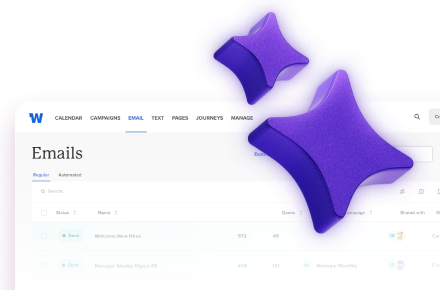
Start by creating your message directly in Workshop’s drag-and-drop email builder. It’s clean, easy to use and comes with pre-send previews so you can make sure your email looks polished across every inbox. No rogue fonts, weird spacing or broken links: just a consistent, professional message that feels like you.
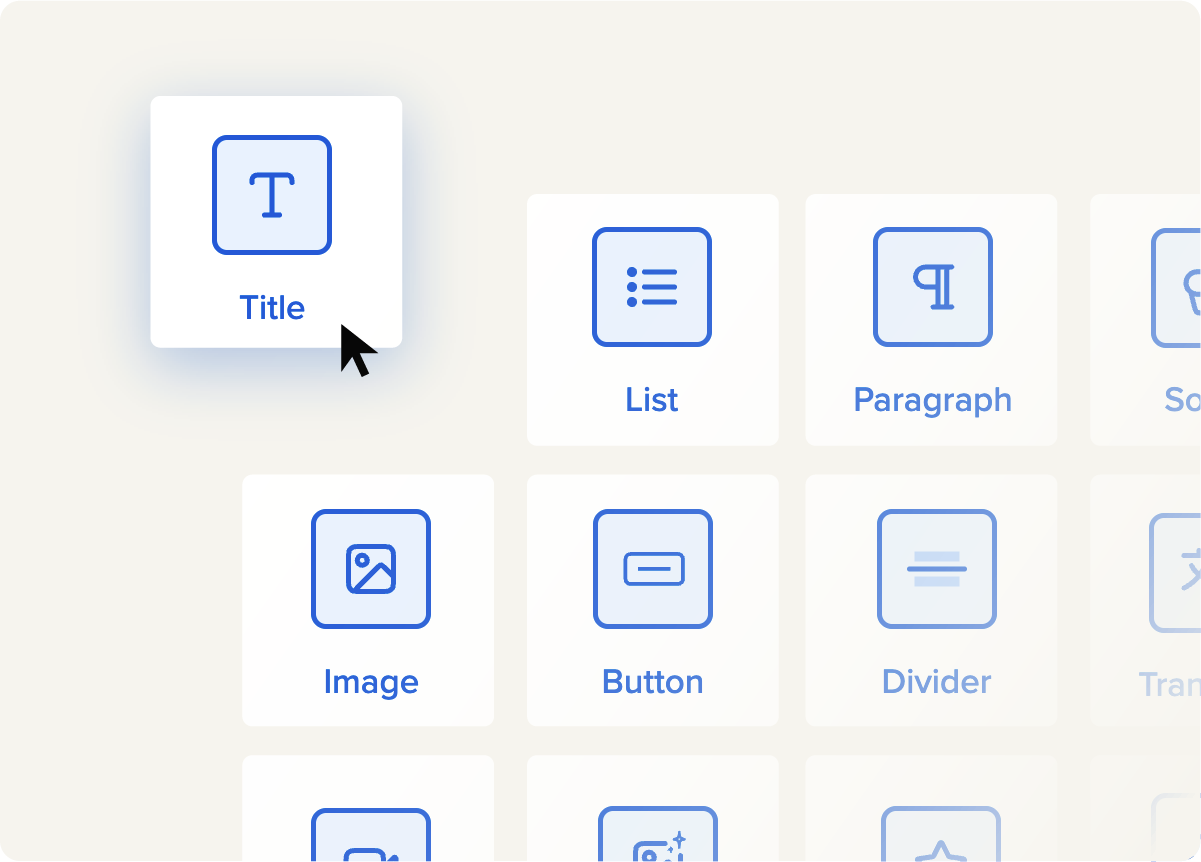
Workshop also offers a variety of pre-built internal email templates that can help you get started faster — including ones specifically designed for manager introductions and onboarding communications. These templates aren’t just blank slates with filler copy. They’re structured to guide your tone, formatting and message hierarchy, helping you hit the right notes from the start. Plus, with Canva integration, you can easily add custom visuals that reinforce your personal brand — without ever leaving the platform.
Workshop makes it simple to target the right audience. You can send to a specific team, department or even schedule different versions of your email depending on location or reporting structure. Merge tags let you personalize messages with names, job titles or even preferred locations, so your note feels like it was written just for them.
And because Workshop integrates with your HRIS, your distribution lists stay up to date automatically with no manual list cleanup required. Once it’s sent, you can track engagement at a glance. See who opened it, when they opened it and follow up with confidence. You can even schedule a second message after your first week or month to reinforce the introduction.
Introducing yourself as a new manager is a big moment. Workshop helps you treat it that way — without the stress, guesswork or clunky tech slowing you down.
One last thing (before you write yours)
Starting a new role is always a little nerve-wracking, especially when you’re the one leading the team. But a thoughtful manager introduction email can make that transition smoother, more human and more impactful from day one.
It’s not just about rattling off a résumé. It’s about showing up with intention, clarity and empathy. The best intro emails strike a balance: professional, but approachable. Direct, but personal. Clear enough to set expectations, but warm enough to make people feel at ease.
If you’re a new manager reading this, just know: You don’t have to overthink it. Your team isn’t expecting perfection, they just want to know who you are, what to expect and how to reach you. And a little personality goes a long way.
If you’re on the internal comms team, your role is key in making that introduction feel polished and aligned with your company culture. And luckily, you don’t have to start from scratch. Workshop makes it easy to build, personalize and send manager welcome emails that actually get read.
And once that message goes out? Workshop gives you the insights you need to track performance, follow up confidently and support a manager’s first impression in all the right ways. A little effort upfront can create trust and help cement a great team dynamic moving forward. And with the right tools, it’s easier than you think.