



 Teams
Teams SharePoint
 Slack
Slack QR Codes
 PDF
PDF Active Directory
 Workday
 ADP
ADP Canva
CanvaKnow exactly what's working in your internal comms — and what's not
Real-time analytics that show you who's reading, what's resonating, and where to focus next. Plus, Cici's AI-powered insights can answer all of your biggest data questions (so you don't have to dig!)

Analytics overview
Real-time results, the moment that you hit send
See opens, clicks, and engagement data within minutes of sending. Workshop tracks performance in real time so you can spot what's working and adjust on the fly.

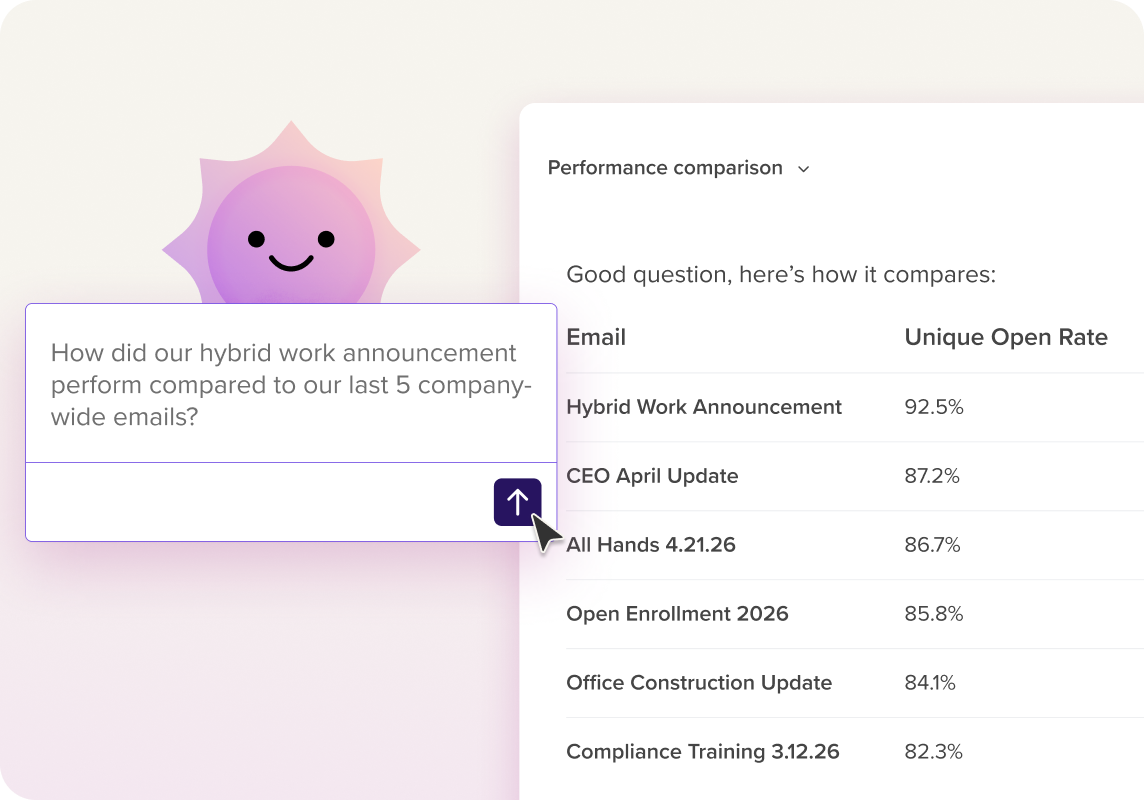
AI that tells you what's working for comms (and why)
Cici, our AI agent, analyzes your sends and surfaces the insights that matter — which subject lines drove the highest engagement, which audiences need a follow-up, and how your comms are trending over time.
Learn more
See exactly who read your comms — and who didn't
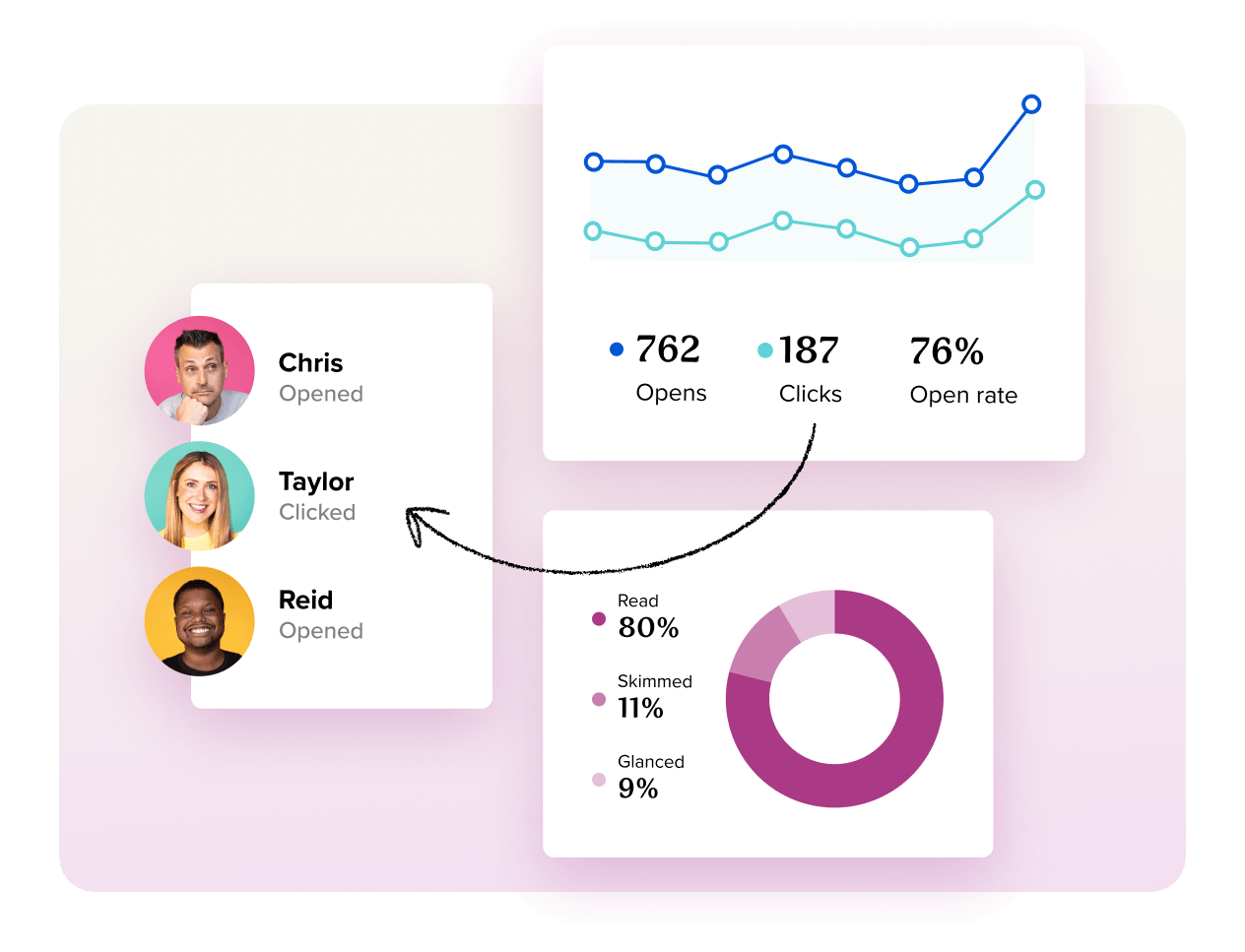
Track opens, clicks, and read depth at the individual employee level. Filter by department, location, or any custom field to understand exactly where your message worked — and where it didn't!
Filter, segment, and spot trends across every send
Group messages into campaigns to track performance over time. Segment by department, location, role, or any custom field to see which audiences are most engaged — and where you're losing people.

Measure multiple channels
Push your message to Slack, and/or Sharepoint and be sure your message is received and repeated as needed.
Learn more

Improve your communications
strategy with actionable data

Get impressive graphs to share with stakeholders
We’ve made our analytics beautiful and easy to understand, so you can take all the screenshots you need to share with stakeholders and showcase the ROI of your campaign.

Have all the data you need at your fingertips
We can surface patterns across your sends so you spend less time in spreadsheets and more time improving your strategy.

Beautiful, actionable, and downloadable reports
Workshop gives you the ability to download any email’s analytics. Share beautifully designed reports with your team and leadership. (We promise, they’ll be impressed!)

Don’t just take our word for it!

“The data is easy to digest. It takes less than 2 minutes to evaluate the success of a campaign. You can tell that the team really thought about how they displayed the data, which is a huge time saver!”
Kendra
Learning & Development Manager,
StimLabs

“The analytics are a game-changer: robust, detailed, yet presented in a way that is user-friendly.”
Ashton
Senior Marketing Communications Manager, Brasfield & Gorrie

“Workshop is seriously a game-changer for us! I'm constantly blown away by how this tool solves our needs and keeps getting better with each update."
Solange
Corporate Communications Manager, World Travel Holdings
Create effective and engaging emails in mere minutes!
Schedule a short demo of Workshop today.

FAQ about internal comms analytics
- What internal communication metrics are available in Workshop?
-
We built Workshop to give internal comms teams the kind of data that actually helps you improve (not just track vanity metrics)!
Here’s an overview of what you’ll be able to measure inside our internal communications platform:
Open rate – The percentage of employees who open your message! Our average open rate across all customers is 76%, but you can track and improve based on your own internal communication benchmarks.
Click-through rate – See how many people are engaging with your links. (The average across Workshop emails is 10%!)
Read time – Understand how long employees are spending with your message: whether they read it, skimmed it, or just glanced.
Click maps and link engagement – Identify which content is resonating based on what people are clicking.
Device optimization – Track how emails perform across desktop and mobile, and optimize accordingly.
Audience segmentation – View engagement data by team, department, role, or location.
Campaign insights – Go beyond individual emails and see how your internal communication campaigns performs over time. Compare different sends, track progress toward your goals, and spot trends in how your audience is engaging.
The goal is simple: give you clear, useful data that helps you communicate better every time you hit send.
- What if we're concerned about employee data, privacy, or need to be GDPR-compliant?
-
Workshop is built to help internal comms teams understand what’s landing — and what’s not.
To do that, our tracking uses randomly generated, unique IDs for things like email opens, clicks, and survey responses. These IDs can be linked to individual recipients, so you can see how different parts of your org are engaging. But all of that data stays secure inside Workshop, and access is limited by role-based permissions.
That said — we know privacy isn’t one-size-fits-all. Some teams have internal policies that go way beyond the standard. If that’s you, we’ve got your back. Workshop includes an optional anonymization setting that keeps individual-level engagement data completely out of view.
You can find more about how Workshop’s GDPR-compliant internal communications platform here!
- I'm struggling to prove ROI. What internal communication analytics should I track?
-
When it comes to measuring the overall effectiveness of internal communications, it’s most important to select key performance indicators (KPIs) that you can have a direct effect on. To start tracking these regularly, try our internal communications metrics dashboard!
While tracking employee engagement data or turnover rates is great, those are indirect measures of your success; there are hundreds of reasons outside of internal communications that could increase or decrease those numbers.
Luckily, there are plenty of internal communication metrics and KPIs that can be tracked and directly tied back to internal communications.
Here are a few of the direct measures we recommend:
- Open rate
- Click-through rate
- Read time
- Engagement data
- Channel effectiveness
- Campaign effectiveness
- Program and event sign-ups
- Traffic to key internal pages
- Employee advocacy
- Internal communications survey results
- Audits and self-assessments
Here’s a detailed guide to getting started with all of the internal communication metrics we recommend!
- Does Workshop offer tools to help me improve my internal communication analytics?
-
Of course! Workshop also gives you built-in tools to improve internal email performance, like mobile-ready templates, setups to make sure you can avoid the spam filter, time zone-based sending, and the ability to cross-post messages to Slack, Microsoft Teams, or SharePoint.
That’s just the start, too: we also offer ongoing education and training resources for internal communications, and easy ways to reach out to support or customer success to help you continue building out your internal communications strategy.
- Can I see specifically who has or has not opened their email?
-
Absolutely! You can view individual recipient data (who opened, clicked, or skimmed) so you can easily spot engagement gaps and follow up personally or adjust your distribution lists.
You can also drill into your data by department, location, role, or custom audience segments, so you can understand which groups engage most, then tailor your strategy to meet them where they are!
- Does Workshop offer an API for analytics or integrations?
-
Yes! Workshop includes a robust internal communications data API that allows you to pull analytics data into your own tools and dashboards. Whether you’re building a custom report, syncing data with a BI platform, or integrating with your HRIS, the API makes it easy to connect Workshop to the rest of your tech stack. If you’re not sure where to start, our team is always happy to help with setup or documentation!

