





 Teams
Teams SharePoint
 Slack
Slack QR Codes
 PDF
PDF Active Directory
 Workday
 ADP
ADP Canva
CanvaCici + AI updates (May 2026)
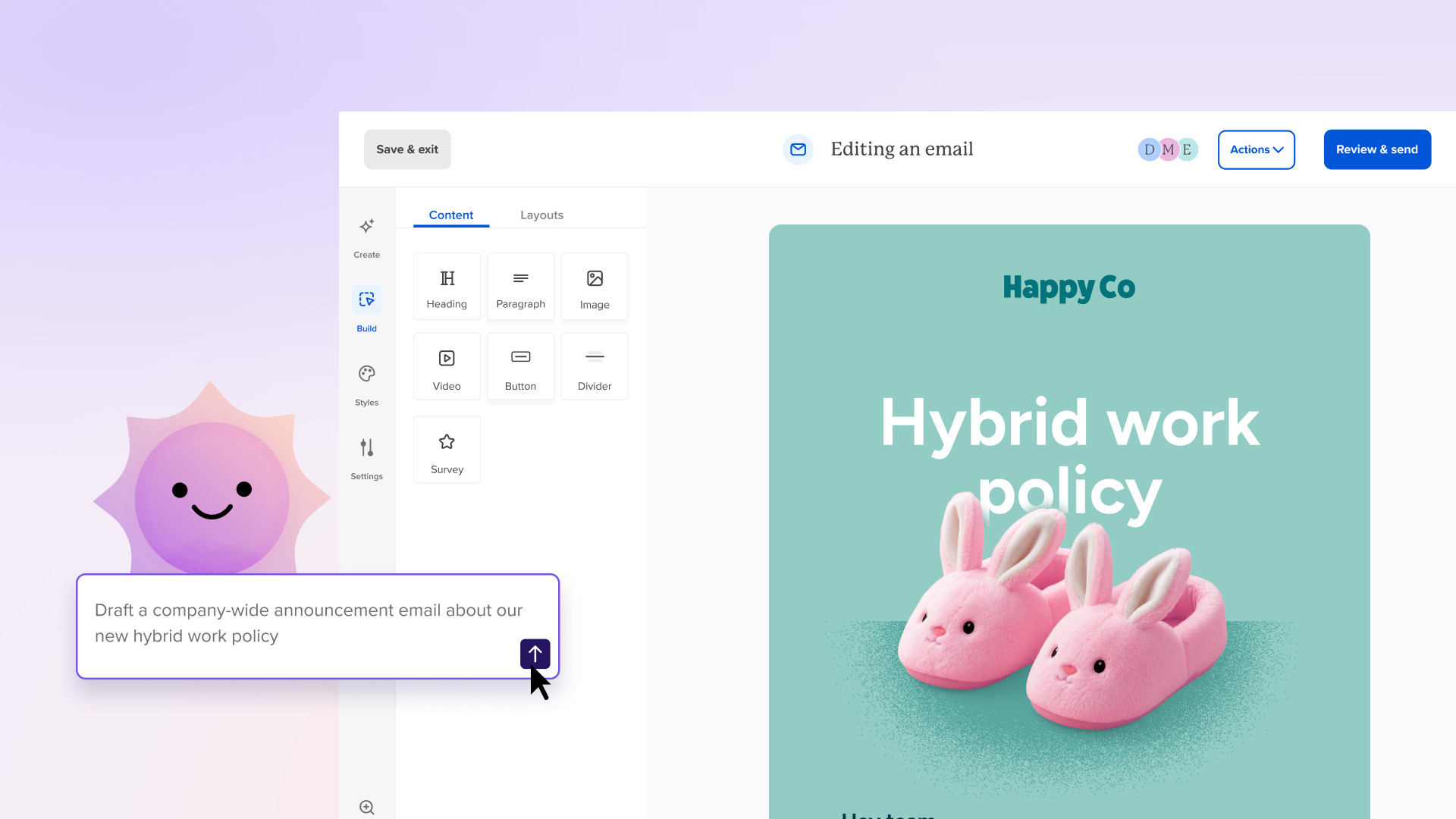
Cici already helps you write faster, brainstorm better, and make sense of your campaign data. Now there’s even more you can do together — and these are improvements you’re going to use right away!
What’s new
Attach files for context. You can now upload a file — a PDF, a Google Doc, a Word file — directly to Cici. Got a dense benefits document from HR? Hand it over and Cici will turn it into an employee-friendly email. Have a leadership memo that needs to reach three different audiences? Upload it and get tailored versions for each one — formatting and all.
Ask questions about your audience. Cici now has access to your recipients and engagement data. Ask things like “Which department has the lowest open rates this quarter?” or “How did my last newsletter perform with our frontline employees?” and get real, specific answers you can act on.
Paste large amounts of text, cleanly. Large pastes now automatically collapse into a clean content chip, so everything’s organized and you can actually have a conversation about it.
Faster AI-generated emails. When you ask Cici to generate an email from a prompt, the response is noticeably quicker. Less waiting, more building.
What this unlocks
Upload your brand guidelines PDF and Cici will create on-brand emails that match your visual identity. Paste a leadership update and get back a shorter version for frontline employees and a more detailed version for managers. Hand over a compliance document and get back something employees will actually read. Ask “What topics have driven the most engagement this quarter?” and use the answer to plan your next campaign.
An overview of Cici’s current AI capabilities
Here’s what Cici, Workshop’s AI agent, can do today for your internal communications (seriously!):
↪ Generate a complete, fully designed email from a single sentence
↪ Create an email based off of a Google doc or even just an image of an email you like from out in the wild 💖
↪ Build the layout, copy, images, and formatting — not just a text draft!
↪ Rewrite dense paragraphs for clarity, brevity, execs, you name it 🙂
↪ Adjust tone for different audiences (frontline vs. corporate, casual vs. formal)
↪ Translate messages into 135+ languages (!!!)
↪ Find typos, inconsistent names, placeholder text, day-date mismatches, number/percentage validation (just ask it to run a pre-send checklist)
↪ Generate subject lines and preview text that actually perform
↪ Suggest (or create) contextually relevant images that match your message and brand
↪ Summarize your comms campaign performance in plain language
↪ Compare engagement across quarters and spot trends
↪ Explain what’s driving (or killing) your open rates
↪ Identify which audiences you’re under-communicating with
↪ Find emails worth resending to non-openers
↪ Spot drop-off points in your automated journeys
↪ Recommend the best send time based on YOUR actual data — not a generic best-practices blog post
↪ Help plan multi-step campaigns from scratch
↪ Answer IC-specific questions like “what’s a good open rate for a healthcare company with frontline employees?”
↪ Advise on channel strategy for reaching deskless workers
↪ Help cascade leadership changes across the org
↪ Brainstorm campaign ideas, angles, and messaging frameworks
↪ Refine copy right inside the email editor (without leaving your workflow)
AI agents vs. AI features in internal comms
Ultimately: A pre-send checklist or “Confidence Check” feature will just catch your errors; an AI agent helps you think and can even correct any errors for you. Validation tools run fixed rules against finished content — typos, broken links, accessibility flags. An AI agent can do that and help you figure out what to write in the first place, rewrite it for different audiences, and answer questions about how it performed.
Discrete, single-purpose AI actions — check this, generate that — are useful but limited. A conversational agent lets you upload a source document, ask for three audience-tailored versions, then ask “which department had the lowest open rates last quarter?” without switching tools.
A validation tool sees the email in front of it. An AI agent sees your recipients, engagement history, and campaign performance — so it can make recommendations based on what’s actually happening with your audience, not just what’s on the page.
What’s next
Coming soon: the ability to define your employer brand voice and tone so Cici’s writing matches your organization’s personality from the start. File attachments will also integrate directly with your media library.
These updates are live now for all customers using our modern editor. Just open Cici and start a conversation!


