Teams
Teams SharePoint
 Slack
Slack QR Codes
 PDF
PDF Active Directory
 Workday
 ADP
ADP Canva
CanvaAutomation | Employee Engagement | HR | Internal Communication | Journeys
The internal comms guide to employee onboarding automation

Onboarding is one of those things everyone agrees matters (and wishes worked better!). You want new hires to feel welcomed, informed, and confident from day one, but onboarding comms often look like a patchwork of one-off emails, calendar reminders, and “wait, did we already send that?” moments.
When you’re balancing onboarding alongside everything else on your plate, the cracks are bound to show. But, onboarding is one of the easiest places to bring in automation that genuinely improves the employee experience — and best of all, gives you time back!
In this guide, we’ll walk through how to automate onboarding communications, including:
- Why it matters
- What to send
- How to structure it
- Why it works sooo much better than handling it all manually
Want to see how employee onboarding automation works in practice? Explore how Journeys can help you build always-on, personalized employee experiences (without adding to your workload!).
Why onboarding automation matters more than ever
In 2026, internal communicators are being asked to do more with the same (or fewer) resources. They’re tasked with delivering high-quality, personalized communication across critical moments like onboarding, without piling on more manual work.
Automation is how teams are closing that gap, and automating your employee onboarding is the perfect place to start!
What onboarding automation actually looks like
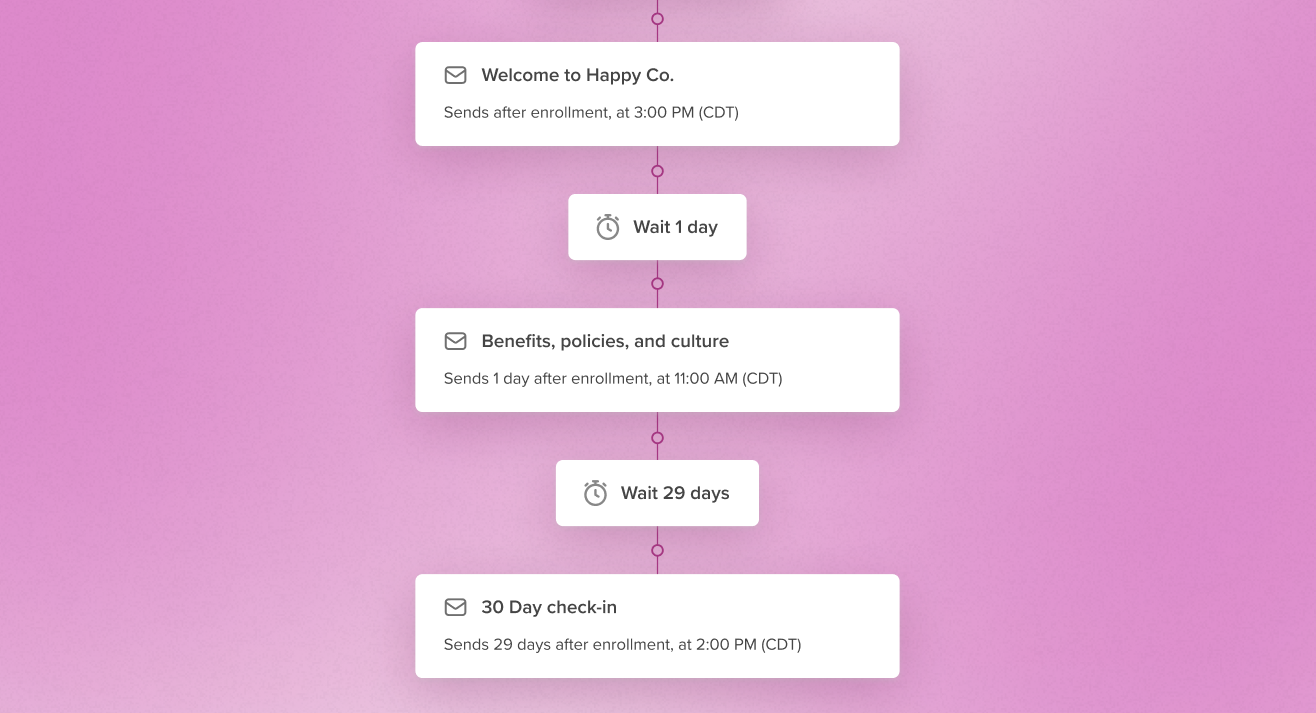
Instead of sending onboarding emails one by one, you build a Journey — a structured sequence of communications that runs automatically once a new hire is added.
That might look like:
- Day 1: Welcome email + key resources
- Day 3: Team introductions + org overview
- Day 7: Tools, processes, and expectations
- Day 14: Culture and values deep dive
- Day 30: Feedback survey + check-in
- Day 60–90: Growth resources + long-term support
Once it’s set up, it runs in the background. Every new hire gets the same thoughtful, well-timed experience, without you manually queuing up each email. Or as we like to say: build it once, and let it do the work!
Why Journeys beats manual onboarding emails
A common question we hear from communicators: “Can’t I just send these onboarding emails myself?” You can, but that’s where things start to get messy.
The manual reality
When onboarding lives in one-off sends, you end up relying on static lists or last-minute HR updates, waiting for the latest data before each email goes out, and probably rebuilding or rescheduling emails for every new hire.
Plus, small gaps tend to compound. Someone misses their Day 7 email, a new hire gets a duplicate message, you lose track of what’s already been sent… Pretty soon, onboarding feels scattered when it should feel reliable.
What changes with Journeys
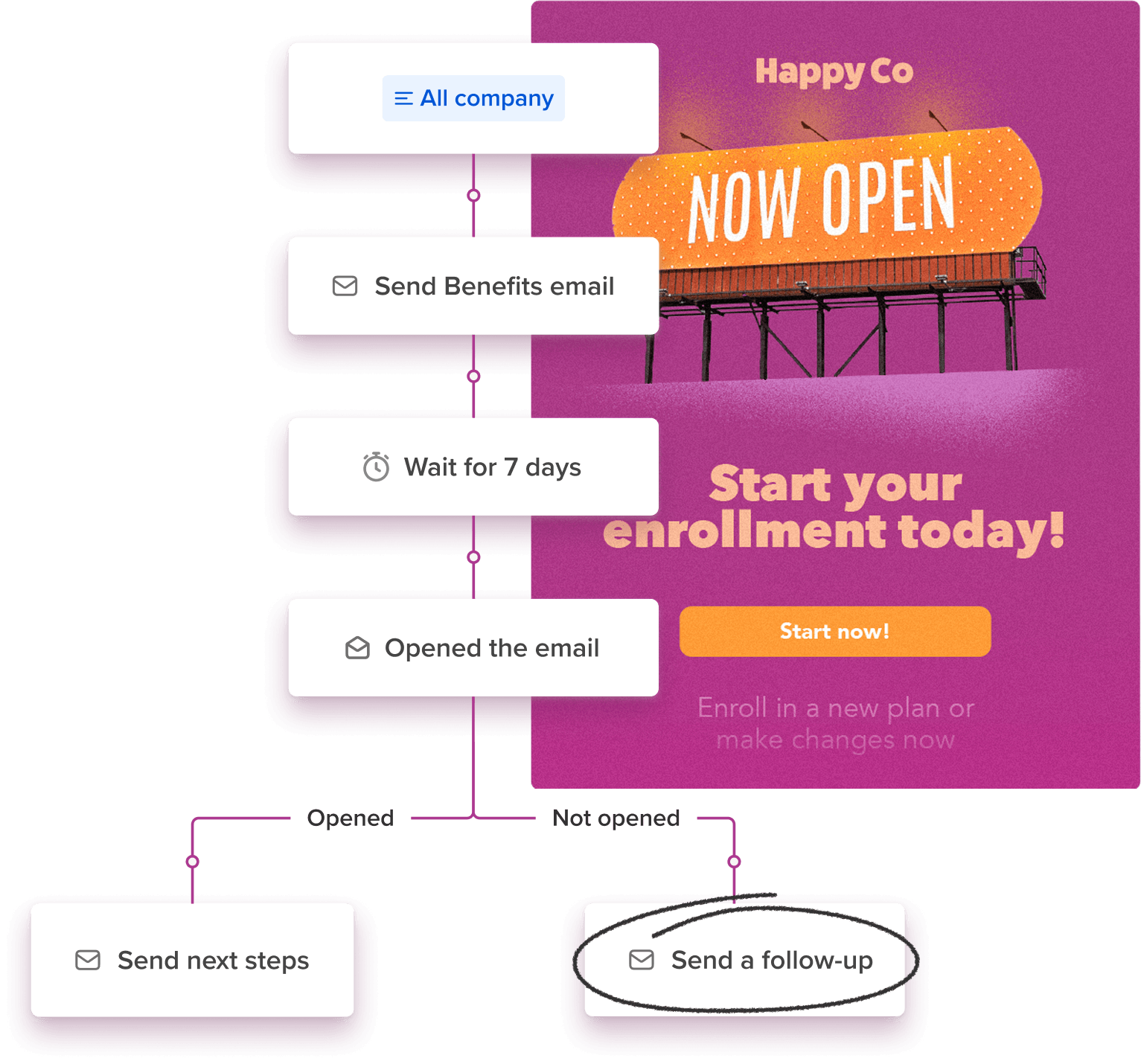
Journeys flip the whole model:
- The full onboarding sequence is built ahead of time
- Timing is handled automatically
- New hires get enrolled the moment they join
- Updates (like role changes or completed steps) adjust the experience in real time
Here’s the part that makes it click: connect your HRIS to Workshop, and new hires get enrolled in your onboarding Journey the moment they’re added in Workday, ADP, or wherever your people data lives.
And onboarding doesn’t have to start on Day 1, either! You can trigger Journeys off HRIS events (a new hire is added, someone changes roles), benefit eligibility dates, scheduled campaigns, or simple time-based delays — whatever fits your process.
With Journeys, you go from chasing every send to managing the system that runs itself. And even better, everything lives in one place! Every message, step, and metric. No more piecing together onboarding history across a dozen lists and inboxes. Phew!
How to structure a high-impact onboarding Journey
If you’re building your first onboarding Journey, start simple! You don’t need to automate everything at once. Here’s a practical framework you can follow:
1. Start with your key milestones
Think less about emails and more about moments. What does a new hire need to know — and when? For example:
- First day: orientation and logistics
- First week: team context and tools
- First month: confidence and connection
- First 90 days: growth and belonging
Mapping these milestones first makes the rest so much easier. The sequence ends up feeling intentional, with every email serving a clear moment.
If you’re looking for inspiration, our guide on how to create new employee announcement emails is a great place to start, especially for building confidence and connection in your first month of new hire comms.
2. Build your core sequence
Once your milestones are clear, translate them into a timeline. A simple onboarding Journey might include:
- 5–8 emails spaced over 30–90 days
- Clear, focused content in each send
- One main goal per message
The big thing here is consistency. Every new hire should get the same strong baseline experience!
3. Personalize with dynamic content
Not every new hire needs the same information. With dynamic content, you can swap out sections of an email based on who you’re sending it to — without duplicating your Journey.
So your Chicago hires get parking info in their Day 1 welcome email while your London team sees badge pickup details. Your US employees see their benefits enrollment guide; your UK team sees theirs. Engineers see technical onboarding resources, sales hires get CRM and pipeline training, and remote employees get distributed team guidance.
It’s the same send, but every employee reads the version that’s relevant to them — and you didn’t duplicate a single thing to make that happen!
Where branching makes onboarding significantly better
Onboarding is about helping people take action, and people don’t all move at the same pace. When every employee gets the same sequence regardless of where they are in the process, some people get reminders they don’t need, while others don’t get enough support. Overall, this leads to engagement drops over time. It creates friction, especially for employees who are already on track.
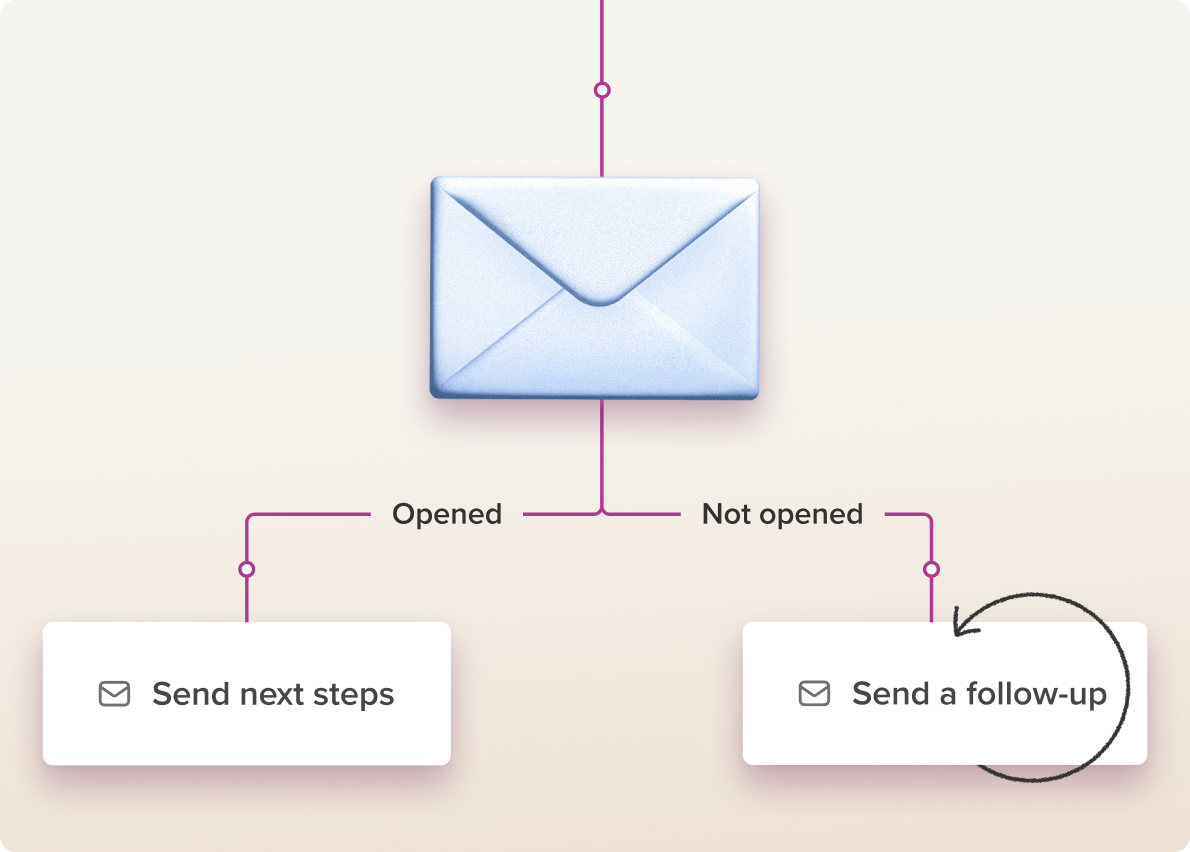
With branching, your onboarding Journey adapts based on what people actually do. For example, after a “set up your tools” email, the Journey can check: did they click through to the setup guide?
- Yes → move them forward
- No → send a follow-up with extra support
Or after a 30-day survey:
- Responders → thank-you + next steps
- Non-responders → gentle reminder
You can also branch based on lists:
- HR provides a list of employees who completed onboarding milestones
- You upload it once
- Those employees automatically skip steps they don’t need
Instead of manual suppression or rebuilding emails, the Journey handles it! Employees who need help keep getting support, and employees who are on track don’t get slowed down.
A real-world onboarding Journey example
Here’s what this might look like in practice:
- Day 1: Welcome email (everyone)
- Day 3: Team intro + org chart (everyone)
- Day 7 check: Did they access onboarding resources?
- Yes → keep moving
- No → send “Need help getting started?” email
- Day 14: Role-specific resources (dynamic content)
- Day 30 check: Did they complete the onboarding survey?
- Yes → “Here’s what to expect next”
- No → reminder
- Day 60–90: Growth, feedback, and development content
What you gain beyond time savings
Automation often gets pitched as a time-saver, and it absolutely is one. But the bigger payoff shows up in quality and consistency.
Onboarding that still sounds like you
A common worry with automation: “Won’t it feel robotic?” Here’s the thing: you wrote the emails, you decided the timing, you designed the logic for who gets what. Workshop just makes sure it all goes out without you manually sending every single one! The voice is still yours, and the experience is still personal — your new hires just don’t see the seams.
A better employee experience
Every new hire gets timely, relevant communication and clear expectations are set. Plus, each new hire gets the feeling that someone thought carefully about their first 90 days (because you did, you just don’t have to manually deliver it every time!).
More visibility into what’s working
With Journeys, you can see open rates, click rates, completion rates, and drop-off points — all in one place. That makes it easier to answer questions like:
- Where are new hires getting stuck?
- Which emails are actually helpful?
- What should we improve next?
Space for more strategic work
This is the part that often matters most! When onboarding runs reliably in the background, you get time back for the work that really moves the needle, like improving content quality, partnering with HR and leadership, measuring impact, and designing better employee experiences across the board.
Getting started
If you’re new to onboarding automation, you don’t need to build the perfect Journey right away. Start here:
- Identify your core onboarding emails
- Turn them into a simple 30-day sequence
- Automate timing and enrollment
- Add branching later as you learn
And if a blank canvas feels intimidating, Workshop offers email templates for common Journeys (including onboarding!) that you can customize to match your voice and content. Even a basic Journey will immediately reduce manual work and improve consistency. From there, you can layer in personalization, branching, and more advanced logic over time!
Build once, improve continuously
Onboarding is one of the highest-impact communication moments you own. It shapes how new hires feel about your company, how quickly they ramp, and how connected they feel to their team.
With Workshop’s Journeys, you can build onboarding once — thoughtfully, intentionally — and then run it, refine it, and trust it. Because when onboarding works, everything else gets easier. Explore how it works! ✨