






 Teams
Teams SharePoint
 Slack
Slack QR Codes
 PDF
PDF Active Directory
 Workday
 ADP
ADP Canva
CanvaAdd calendar invites (.ics files) right to your emails
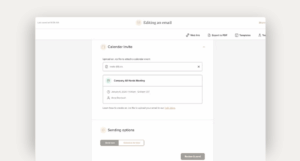
When you’re trying to boost event attendance, reducing friction is everything. That’s why we’ve added a new option to email settings: Attach Calendar Invite (.ics).
Now you can drop a real .ics file into any email, so recipients get the event on their calendar instantly. No extra steps, no hunting for links later.
Here’s what’s possible now
- Upload an .ics file in email settings and preview the event details before sending
- Have events show up on recipients’ calendars right away
- Send updates or cancellations using the same UID, so calendars stay in sync
- Add .ics files to automated Journey emails for perfectly timed reminders
Where this really helps
All-hands meetings, onboarding sessions, trainings, and those “don’t forget this exists” company reminders.
To learn more about attaching .ics files — including how updates and cancellations work — visit the help center.


