

 Teams
Teams SharePoint
 Slack
Slack QR Codes
 PDF
PDF Active Directory
 Workday
 ADP
ADP Canva
CanvaAI | Internal Communication | Productivity
How to automate internal communications (without losing the human touch)


Internal comms teams are managing more channels, more messages, and more ‘can you post this today?’ requests than ever (often without more headcount). Automation can take some of that off your plate! In our 2026 Internal Comms Trends Report, 68% of communicators said their top priority for 2026 is automating repetitive comms tasks — and many are looking to AI as the support to make that possible.
With a smart strategy (and the right tools in your corner), you can automate your internal comms, saving hours each week and breathing a little easier in the process. 🙂
In this guide, we’ll break down:
- What internal comms automation really means
- Six internal comms processes worth automating
- How to get started (without overwhelming your team)
- How Workshop can help
2026 Internal Comms Trends Report
See what’s top of mind for internal comms heading into 2026
Grab your free report!
What does “automating internal communications” mean?
Automation doesn’t mean your comms become robotic. It means you use technology to handle repetitive, predictable tasks — freeing you up to focus on strategy, creativity, and connection.
Think of it like setting up a helpful system that runs in the background. Instead of manually sending onboarding emails every Monday or chasing managers for reminders, automation ensures those messages go out — accurately, consistently, and on time.
It’s about building reliable workflows that make your internal comms more:
- Consistent: Every employee gets the right message at the right moment
- Efficient: You spend less time sending and more time strategizing
- Measurable: You can track what’s working and adjust with data
And if that sounds too good to be true, it’s not — IC teams everywhere are already doing it.
Why automating internal communications matters now
The internal comms role is evolving fast. Teams are being asked to communicate more often, across more channels, to more diverse audiences — without more headcount.
That’s where automation steps in! It’s a quiet helper that takes some of the load off your team’s plate. Here’s why it’s becoming a must-have for 2026:
Employee expectations have changed
Employees want timely, relevant updates. They don’t want to dig through long newsletters or scroll Slack for key announcements. Automations can help you deliver personalized, digestible messages — right where people already are.
IC teams are stretched thin
Workshop’s latest report shows that proving the impact of internal comms is a top challenge. Automating internal communication workflows gives you the time and data to show how your efforts align with company goals.
Hybrid and global workforces need scalable systems
Manual processes simply can’t keep up with distributed teams. Automating your internal comms ensures every employee — no matter their time zone — gets the same message, every time.
Seven processes you can automate today to improve internal communications
Here are six high-impact areas you can streamline — whether you’re using Workshop or just starting to dip your toes into automation. These ideas will help you save hours and create messages that feel more personal, relevant, and human.
1. Onboarding communications
Every new hire deserves a warm, consistent welcome — not a rushed copy-paste email.
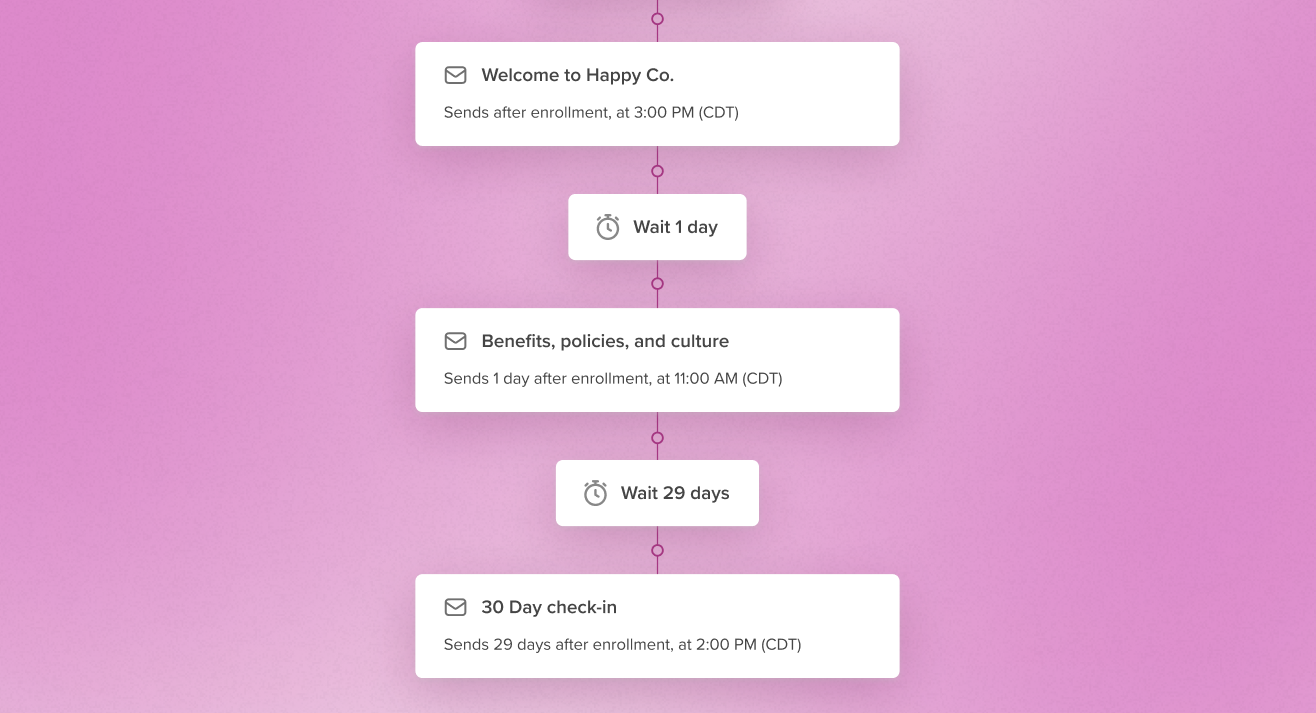
You can automate onboarding messages using any email scheduling tool or your HR system’s built-in reminders. For example, create a sequence that triggers when a start date is added:
- A day 1 welcome email from their manager
- A week 1 resource roundup with links to your culture guide and Slack channels
- A week 2 benefits reminder from HR
- A week 4 survey asking how their onboarding went
Even small automations like this ensure no one slips through the cracks. It actually feels more human because every new hire receives thoughtful, well-timed messages instead of last-minute ones.
(And if you want to scale this beautifully across teams and time zones, Workshop’s Journeys feature can help you make it even more seamless!)
2. Company newsletters
If you’re spending hours every week pulling together content, templates, and images — this one’s for you.
Start by building a newsletter template (in your email tool or even Google Docs) that includes recurring sections like:
- Company updates
- Culture spotlight
- “Don’t miss this” quick links
Then, schedule your send times or use recurring tasks to remind you to update content weekly.
This kind of structure keeps your newsletters fresh and on brand — without you starting from scratch each time.
3. Distribution lists and audience targeting
Outdated email lists are one of the biggest time-wasters for internal comms. You can automate this process by syncing your employee data directly from your HRIS! Accurate lists mean you can deliver more relevant, on-brand messaging at scale, which feels more personal than a one-size-fits-all blast.
Tools like Workshop automatically update your distribution lists as people join, leave, or change roles. This means no more manual list maintenance or missed updates, just clean, accurate targeting every time.
Beyond HRIS-synced lists, you can also let employees opt into the content they actually want — think ERG updates, leadership development newsletters, or wellness programming. Subscription lists in Journeys keep audiences current without a single manual update from your team, and pair perfectly with Journeys: when someone subscribes, they’re automatically pulled into the relevant sequence; when they unsubscribe, they’re routed out.
4. Recurring reminders and campaigns
Think about your recurring updates — things like:
- Benefits enrollment reminders
- All-hands meeting invites
- Monthly culture highlights
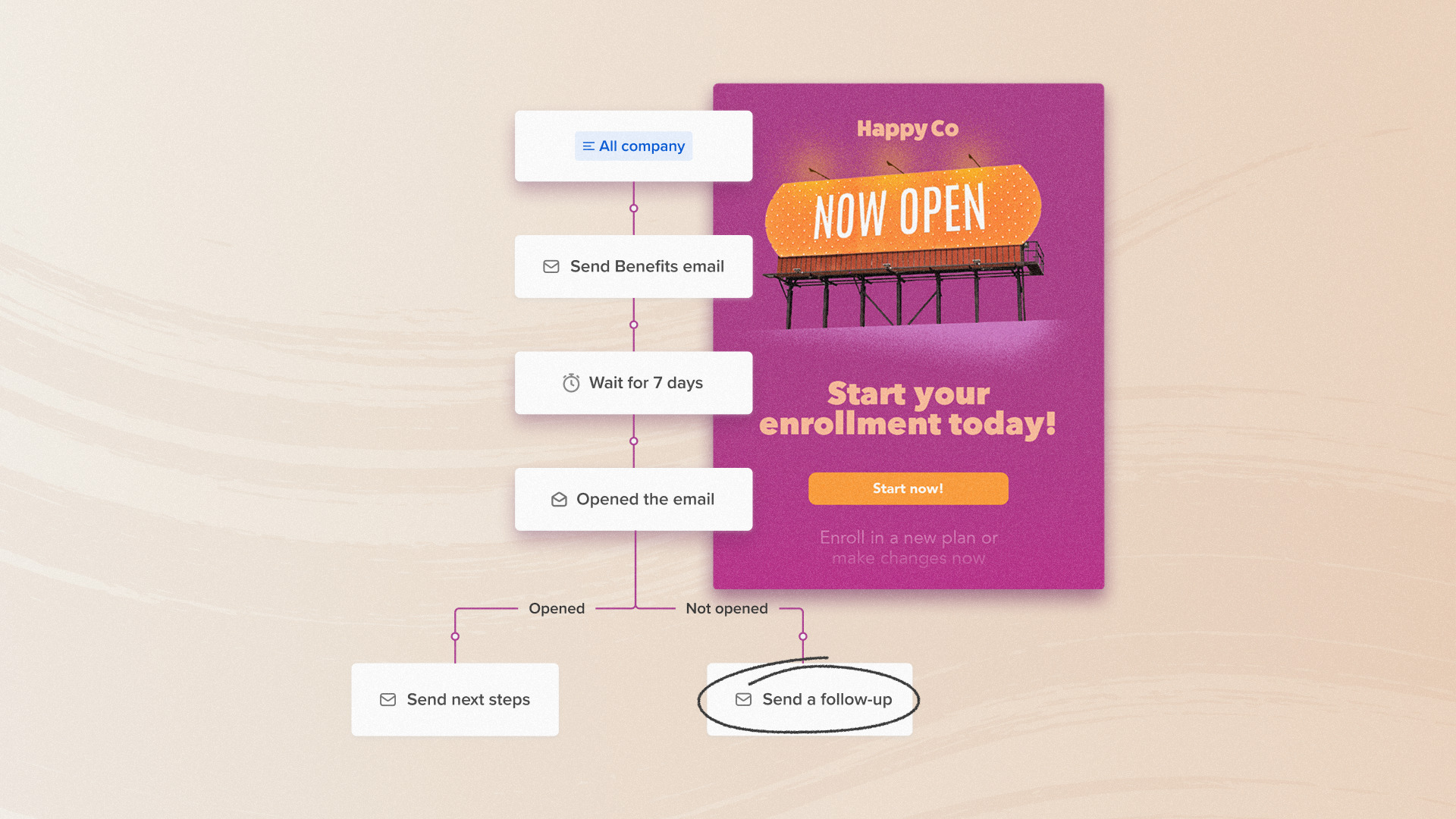
These are perfect candidates for automation. Journeys lets you schedule and personalize messages by audience, so HR gets one version and frontline teams get another. You can even build automated reminder sequences leading up to key events (like open enrollment) so no one misses a deadline.
5. Behavior-based and event-driven sequences
Most automation is linear: send Day 1, then Day 7, then Day 14 to everyone. That works fine until you realize you’re nudging people who already took action — and getting nowhere with the people who didn’t.
With conditional splits in Journeys, your sequence can branch based on what employees actually do (or don’t do). A few examples:
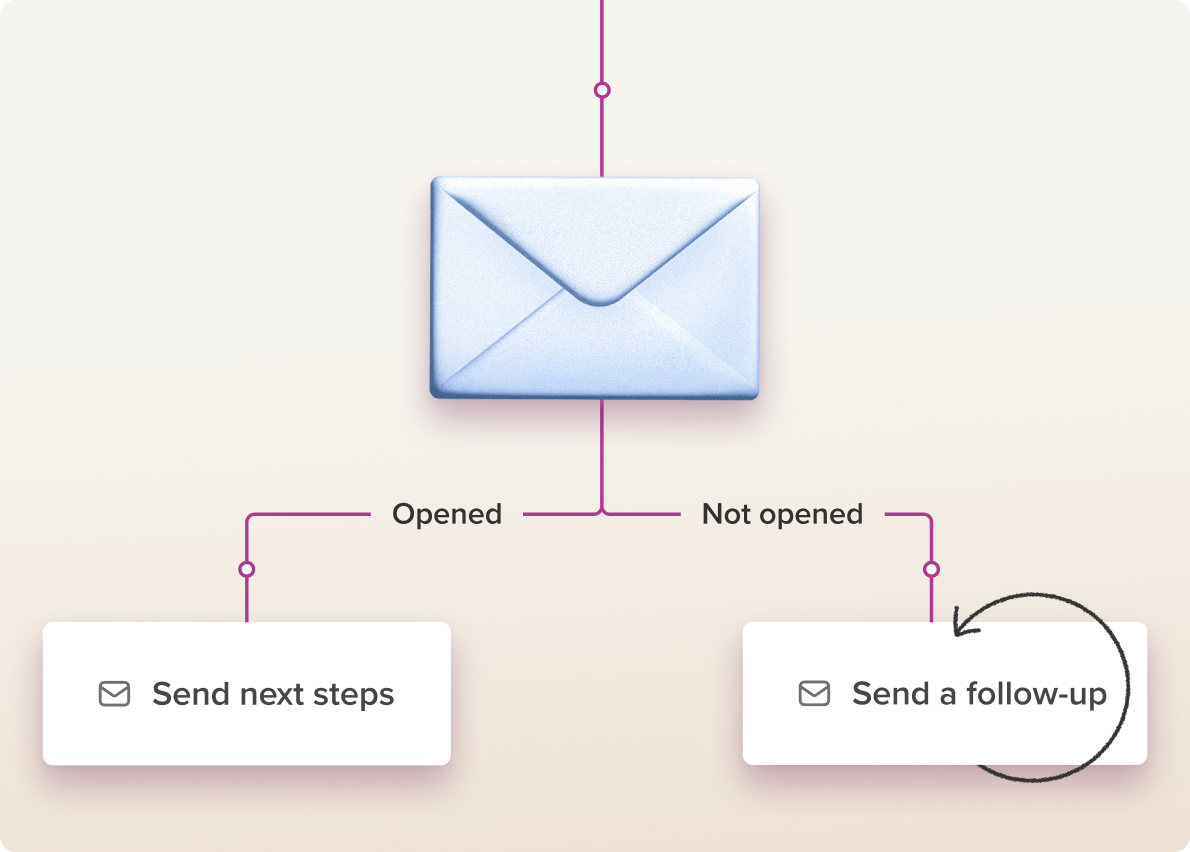
- Follow up with unopeners automatically. Send your benefits reminder. Two days later, the Journey checks who opened it — and only the unopeners get a follow-up nudge. Everyone else moves on.
- Branch event communications by RSVP. Attendees get logistics and prep details; non-responders get a follow-up that re-asks the question. One Journey, two completely different employee experiences.
- Route by list membership. As your People team sends over updated lists (employees who completed open enrollment, new hires who finished onboarding tasks), those employees get pulled into a different path — or out of the sequence entirely.
The result: people who need to be reached keep getting reached. People who already acted stop getting reminded.
6. Feedback and surveys
You can automate how you collect and act on employee feedback too! Set up quarterly pulse surveys that trigger automatically and use consistent follow-up messages to close the feedback loop — thanking employees for sharing and outlining next steps.
As our guide to employee survey questions shows, regular feedback loops are one of the most effective ways to improve engagement.
7. Creating email content
Crafting fresh, engaging content every week can be one of the most time-consuming parts of an internal comms role — and one of the most repetitive. That’s where automation and AI can truly shine!
From brainstorming new subject lines to rephrasing content for different audiences, AI-assisted writing tools can save you hours while helping your messages stay sharp, inclusive, and on-brand. Imagine asking AI to transform a long HR update into a friendly, skimmable summary for frontline teams or to auto-generate a few emoji-free subject line options based on your company tone — all in seconds.
And, with Workshop’s built-in AI tools, you can craft, edit, and polish email content right inside your workflow — without jumping between tabs or guessing the right prompt. From writing assistance to translation and image suggestions, it’s like having a creative teammate who never misses a deadline.
Once you’ve drafted a few options, you don’t have to guess which one lands. A/B testing inside Journeys lets you send Variant A to part of your audience and Variant B to the rest, then learn which subject line, opening, or CTA actually drives action — and apply those lessons to your next send.
How to start automating your internal communications (step by step)
Ready to make it happen? Here’s a roadmap for rolling out automation in a way that’s strategic, not overwhelming. You don’t have to automate everything overnight — just start where it’ll make the biggest difference.
Step 1: Map your communications journey
List every recurring message you send — onboarding, birthdays, CEO updates, open enrollment, surveys, etc.
Highlight the ones that follow a repeatable pattern or could trigger from a specific event (like a start date). Those are your automation candidates.
Step 2: Choose the right tools
Look for a platform built for internal comms — not just marketing automation. You’ll want something that integrates with your HR systems, supports segmentation, and keeps your branding consistent.
Think: “If new hire → send Welcome Journey.”
Or: “If manager → trigger Leadership Updates series.”
Step 3: Set up your data sources
Automations are only as good as your audience data. Sync your HRIS, Slack, or directory tools to ensure your messages always reach the right people.
Step 4: Start small
Pick one process (like onboarding or newsletters) to automate first. Test, gather feedback, and refine before rolling out to other workflows.
Step 5: Measure and adjust
Use analytics to track open rates, engagement, and completion. Then use those insights to optimize your messages — sending shorter, better-timed content that resonates. Automation doesn’t replace creativity — it gives you the space to refine it.
Tips to keep automation human
Automation can feel impersonal if not done thoughtfully. Here’s how to keep your internal comms feeling authentic and warm:
- Lead with empathy: Automate logistics, not emotion. Always add a human voice in your copy
- Segment smartly: The more relevant your messages, the more personal they’ll feel
- Keep updating: Revisit your automations quarterly to refresh content and tone
- Combine automation & live touch points: Use automated campaigns to compliment (not replace!) manager conversations or all-hands
Things to consider before you automate internal communications
Even the best automation plans can go sideways without a thoughtful rollout. It’s easy to get caught up in the excitement of new tools and end up over-automating, under-testing, or leaving key partners out of the loop.
Before you flip the switch, take a breath — and make sure you’re avoiding some of the most common pitfalls we see when teams start automating their internal comms. Remember: the goal isn’t perfection, it’s progress (and a little less chaos)!
Common mistakes to avoid when automating internal comms:
- Automating everything at once: Start with your biggest time sinks and build gradually
- Neglecting personalization: Blanket automation feels cold — segment your audiences thoughtfully
- Forgetting measurement: Automation without analytics is just guesswork
- Ignoring change management: Bring stakeholders (especially IT and HR) into the process early
The future of internal comms automation
Automation is becoming the backbone of effective, scalable internal communications. By automating repetitive tasks, you make space for deeper storytelling, stronger relationships, and more strategic impact. And yes, even your Monday morning updates can feel more zen!
And according to the 2026 Internal Comms Trends Report, nearly half of communicators (48%) are actively using AI tools every day to help with content creation, freeing up more time for strategy and measurement.
Ready to get started?
If you’re ready to take repetitive, manual work off your plate and build communication workflows that run like clockwork, check out Journeys by Workshop! With branching, A/B testing, and event-aware sequences, it’s a super practical, extra helpful automation tool made for internal communicators like you. 🙂